Azure Penetration Testing: 127+ Automated Security Checks Across 11 Services
Misconfigured storage accounts, overprivileged identities, and exposed management planes create attack paths that traditional scanners miss. Pentestas combines black-box reconnaissance, authenticated service scanning, and AI-driven exploitation chains to map every exploitable weakness in your Azure infrastructure.
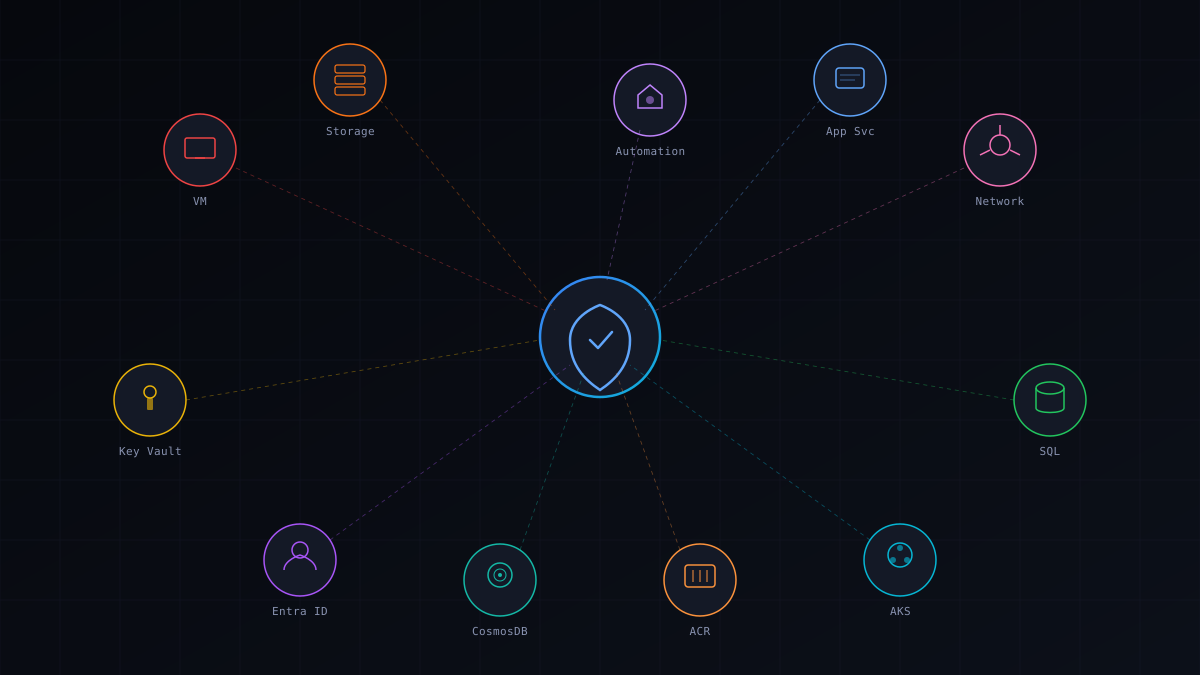
Why Azure Environments Need Specialized Pentesting
Cloud infrastructure operates under a fundamentally different security model than traditional on-premises networks. Azure environments introduce identity-based perimeters, shared responsibility boundaries, and service-specific attack surfaces that conventional penetration testing methodologies were never designed to evaluate.
| Attack Surface | Traditional Pentest | Azure Pentest |
|---|---|---|
| Identity Perimeter | Firewall rules | Entra ID / RBAC policies / Conditional Access |
| Storage Exposure | SQL injection | Public blob access / SAS token leakage |
| Lateral Movement | Network pivoting | Cross-subscription / Managed identity abuse |
| Secret Management | Config files | Key Vault / App Settings / Environment variables |
| Container Security | N/A | AKS RBAC / Pod escape / API server exposure |
| Serverless | N/A | Function key extraction / Trigger URL exposure |
| Authentication | Username/password | OAuth2 / Device Code / Conditional Access bypass |
What We Test: Black Box vs Authenticated
Two complementary perspectives that together provide complete coverage of your Azure attack surface — from the outside in and the inside out.
Black Box (16 Phases)
- Subdomain enumeration and DNS zone analysis
- Azure storage account discovery and blob enumeration
- Exposed management endpoint detection
- SSL/TLS configuration and certificate analysis
- HTTP security header assessment
- Web application fingerprinting
- Open port and service identification
- Cloud metadata endpoint probing
- Exposed credential and secret scanning
- Email security (SPF, DKIM, DMARC) validation
- WAF detection and bypass testing
- Directory and path brute-forcing
- Technology stack fingerprinting
- CORS misconfiguration testing
- Subdomain takeover vulnerability detection
- DNS record analysis and zone transfer attempts
Authenticated (11 Services)
- Virtual Machines — 9 checks (public IPs, NSG rules, disk encryption, extensions)
- Blob Storage — 13 checks (public access, SAS tokens, encryption, CORS, lifecycle)
- Key Vault — 12 checks (access policies, RBAC, key rotation, soft-delete, network rules)
- Entra ID — 9 checks (risky users, MFA status, guest access, app registrations)
- AKS — 15 checks (RBAC, network policies, pod security, API server, node pools)
- App Service — 13 checks (HTTPS enforcement, auth settings, managed identity, TLS)
- SQL Database — 10 checks (firewall rules, TDE, auditing, threat detection, AAD auth)
- CosmosDB — 12 checks (key-based auth, network isolation, backup, CORS, encryption)
- Network/NSGs — 7 checks (overly permissive rules, flow logs, DDoS protection)
- Container Registry — 4 checks (admin access, content trust, network rules, scanning)
- Attack Chains — 18 AI-driven tools for multi-step privilege escalation

The 4 Phases of Our Azure Pentest
A systematic approach that progresses from external reconnaissance through authenticated deep-dive analysis to AI-driven exploitation and actionable reporting.
Black-Box Reconnaissance
We begin with zero knowledge of your Azure environment, simulating an external adversary. Sixteen concurrent attack phases enumerate subdomains, discover exposed storage accounts, probe management endpoints, scan for leaked credentials, analyze DNS configurations, and fingerprint deployed services. This phase reveals what an attacker can learn about your infrastructure from the public internet alone.
- Subdomain enumeration across multiple data sources
- Azure storage account and blob container discovery
- Exposed management endpoint and API detection
- Credential and secret leak scanning across public sources
- SSL/TLS and HTTP security header analysis
- Subdomain takeover vulnerability identification
Authenticated Service Scanning
With legitimate Azure credentials, we systematically audit every supported service. Each scanner runs purpose-built checks designed around real-world Azure attack techniques — not generic compliance benchmarks. We examine RBAC configurations, network isolation boundaries, encryption states, access policies, and service-specific misconfigurations that create exploitable weaknesses.
- Virtual Machine exposure and disk encryption audit
- Blob Storage public access and SAS token analysis
- Key Vault access policy and rotation compliance review
- Entra ID identity risk and MFA gap assessment
- AKS cluster security posture and pod policy evaluation
- App Service, SQL, CosmosDB, and NSG configuration checks
AI-Driven Exploitation
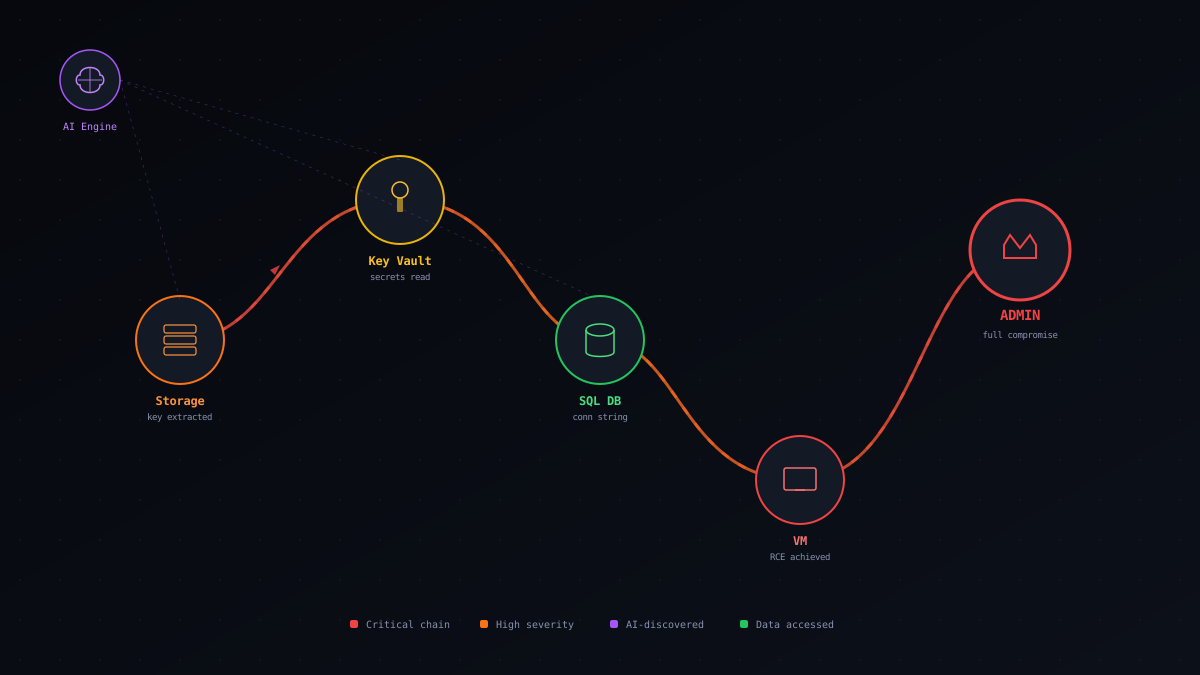
Findings from the scanning phases are fed into our AI exploitation engine, which orchestrates multi-step attack chains across Azure services. The engine attempts privilege escalation through managed identity abuse, lateral movement via cross-subscription access, secret extraction from Key Vaults, and data exfiltration from storage accounts. Each chain demonstrates real business impact, not theoretical risk.
- Managed identity privilege escalation attempts
- Cross-service lateral movement chain execution
- Key Vault secret extraction and rotation testing
- Storage account data access through token abuse
- AKS pod escape and cluster admin escalation
- Automated cleanup of all write operations
Reporting and Remediation
Every finding is documented with severity classification, CWE identifiers, step-by-step reproduction instructions, and Azure-specific remediation guidance. Reports are generated in multiple formats suitable for engineering teams, executive stakeholders, and compliance auditors. Each vulnerability includes the exact Azure CLI or Portal steps needed to resolve it.
- Executive summary with risk posture overview
- Technical findings with CVSS scoring and CWE mapping
- Step-by-step reproduction evidence for every issue
- Azure-specific remediation instructions with CLI commands
- Compliance mapping to SOC 2, ISO 27001, PCI DSS
- Complimentary retesting after remediation
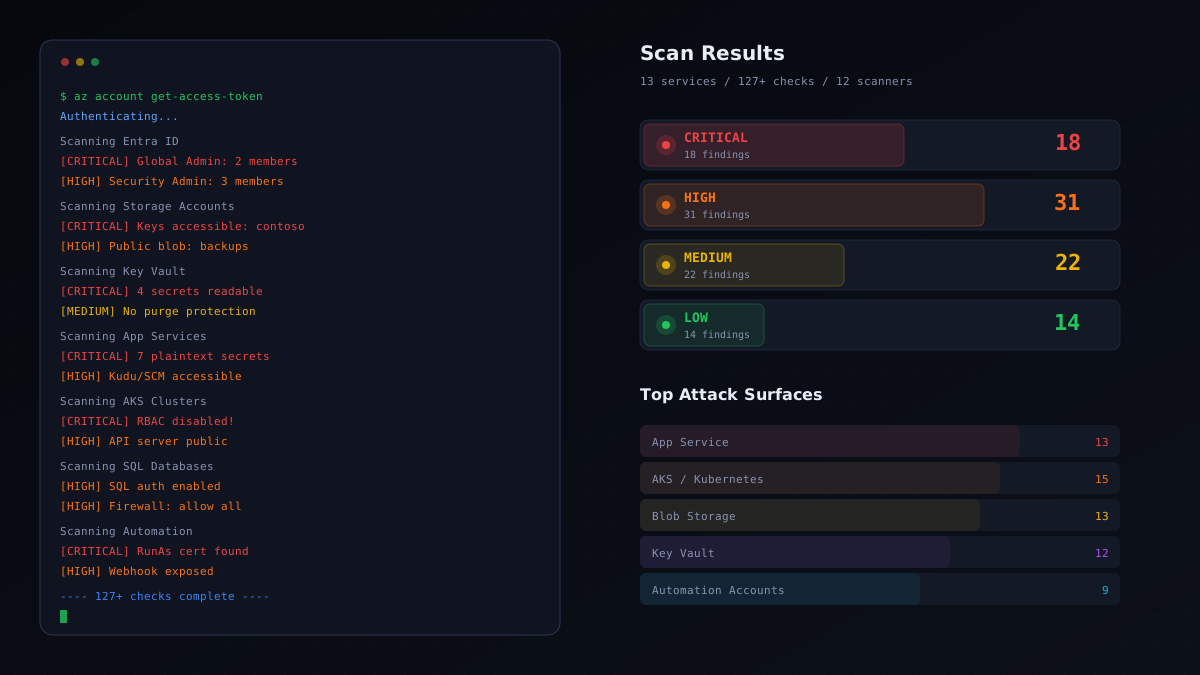
11 Azure Services We Test
Each service has a dedicated scanner with purpose-built checks designed around real-world Azure attack techniques and misconfigurations.
Virtual Machines
9 checksPublic IP exposure, NSG rule audit, disk encryption status, VM extension review, auto-shutdown policies, managed identity assignment, OS patch assessment, diagnostic settings, boot diagnostics security
Blob Storage
13 checksPublic container access, SAS token permissions and expiry, encryption at rest, CORS configuration, lifecycle management, soft-delete status, immutability policies, access tier review, firewall rules, shared key authorization
Key Vault
12 checksAccess policy review, RBAC assignment audit, key rotation compliance, soft-delete and purge protection, network access rules, private endpoint configuration, certificate expiry, secret versioning, diagnostic logging, managed HSM policies
Entra ID
9 checksRisky user detection, MFA enrollment gaps, guest user access review, application registration audit, service principal credential age, conditional access policy coverage, privileged role assignments, consent grant review, directory sync status
Azure Kubernetes Service
15 checksRBAC authorization mode, network policy enforcement, pod security standards, API server access profile, node pool configuration, managed identity setup, Defender for Containers, private cluster status, admission controller policies, image pull secrets
App Service
13 checksHTTPS-only enforcement, minimum TLS version, managed identity configuration, authentication settings, remote debugging status, FTP deployment state, diagnostic logging, custom domain SSL, IP restrictions, CORS origins, always-on setting
SQL Database
10 checksFirewall rule review, transparent data encryption, auditing configuration, advanced threat protection, AAD authentication enforcement, long-term backup retention, geo-replication status, vulnerability assessment, data masking rules, connection encryption
CosmosDB
12 checksKey-based authentication status, network isolation and firewall, backup policy configuration, CORS settings, encryption with customer-managed keys, IP restrictions, virtual network rules, diagnostic settings, consistency level review, automatic failover, local authentication
Network / NSGs
7 checksOverly permissive inbound rules, SSH/RDP exposure, flow log configuration, DDoS protection plan, network watcher status, subnet delegation review, service endpoint policies
Container Registry
4 checksAdmin user access status, content trust configuration, network access rules, vulnerability scanning enablement
Attack Chains
18 AI toolsManaged identity escalation, cross-service lateral movement, Key Vault secret extraction, storage token abuse, AKS cluster admin escalation, subscription-level privilege chains, credential harvesting, data exfiltration paths
Authentication Methods
Three ways to connect your Azure subscription for authenticated scanning. Choose the method that fits your organization's security posture.
Quick Token
RecommendedPaste an Azure access token directly from the Azure CLI or Cloud Shell. The fastest path to authenticated scanning — start in under 2 minutes. Ideal for quick assessments and proof-of-concept engagements.
- 1Run az account get-access-token in Azure CLI
- 2Copy the access token value
- 3Paste into the Pentestas scan configuration
- 4Scanning begins immediately
Device Code Flow
Conditional AccessAuthenticate through Microsoft's device code flow, which works seamlessly with Conditional Access policies and MFA requirements. The recommended approach for organizations with strict identity governance.
- 1Initiate device code flow from Pentestas
- 2Navigate to microsoft.com/devicelogin
- 3Enter the provided code and authenticate
- 4Pentestas receives a scoped token automatically
Service Principal
CI/CD IntegrationUse an Azure AD application registration with client credentials for fully automated, headless scanning. Best suited for integration into CI/CD pipelines and scheduled recurring assessments.
- 1Create an App Registration in Entra ID
- 2Assign Reader role to target subscription
- 3Provide Client ID, Secret, and Tenant ID
- 4Automated scanning runs without user interaction
Who Needs Azure Penetration Testing
If any of these situations apply to your organization, an Azure penetration test should be on your immediate roadmap.

Azure Pentest Pricing
Transparent engagement-based pricing. Comprehensive coverage of your entire Azure environment in a single assessment.
| Package | Includes | Starting Price |
|---|---|---|
| Azure Pentest | Black-Box + Authenticated scanning, 11 service coverage, AI exploitation chains, DOCX/HTML/PDF reports, complimentary retesting | From $4,000 |
Complimentary retest included with every engagement. Once your team has addressed the reported issues, we validate the remediations at no additional charge.
Multi-cloud and multi-service engagements qualify for bundled pricing. Reach out for a tailored proposal.
Why Choose Pentestas for Azure Pentesting
The differentiators behind our Azure cloud security practice.
127+ Purpose-Built Checks
Every security check is designed around real Azure attack techniques and misconfiguration patterns — not generic compliance benchmarks. Each check targets a specific exploitable condition that we have observed in production Azure environments.
AI-Driven Exploitation Engine
Our AI exploitation engine chains individual findings into multi-step attack paths that demonstrate real business impact. It attempts privilege escalation, lateral movement, and data exfiltration across Azure services — the same techniques advanced adversaries use.
Results in Minutes, Not Weeks
Automated scanning completes in a single session. Black-box reconnaissance and authenticated service checks run concurrently, delivering findings faster than any manual-only assessment while maintaining the depth of expert-level analysis.
Black-Box and Authenticated Coverage
We combine external attacker simulation with internal authenticated analysis. This dual perspective reveals both what an outsider can discover and what an insider or compromised credential could exploit.
Non-Destructive by Design
Read-only operations wherever possible. AI exploitation chains that involve write operations automatically clean up after themselves. Your production environment remains stable throughout the assessment.
Multi-Format Compliance Reports
Every finding includes CWE identifiers, CVSS scoring, and compliance framework mapping. Reports are generated in DOCX, HTML, PDF, and JSON formats — ready for engineering teams, executive briefings, and auditor review.
Related Services
Cloud Penetration Testing
Multi-cloud security assessments spanning AWS, Azure, and GCP environments.
Learn more →Web App Penetration Testing
OWASP Top 10 aligned testing for web applications with emphasis on business logic flaws.
Learn more →API Penetration Testing
In-depth API security evaluation covering REST, GraphQL, and WebSocket interfaces.
Learn more →Secure Your Azure Environment Today
Your Azure infrastructure is only as secure as its weakest configuration. Schedule a penetration test to discover exposed storage accounts, overprivileged identities, and exploitable attack chains before an adversary does. Our team will deliver a comprehensive assessment with actionable remediation guidance.