Scan-As-You-Browse: The Windows Agent That Tests Internal Apps From Inside Your Network
Pentestas Team
Security Analyst
Introduction to Scan-As-You-Browse
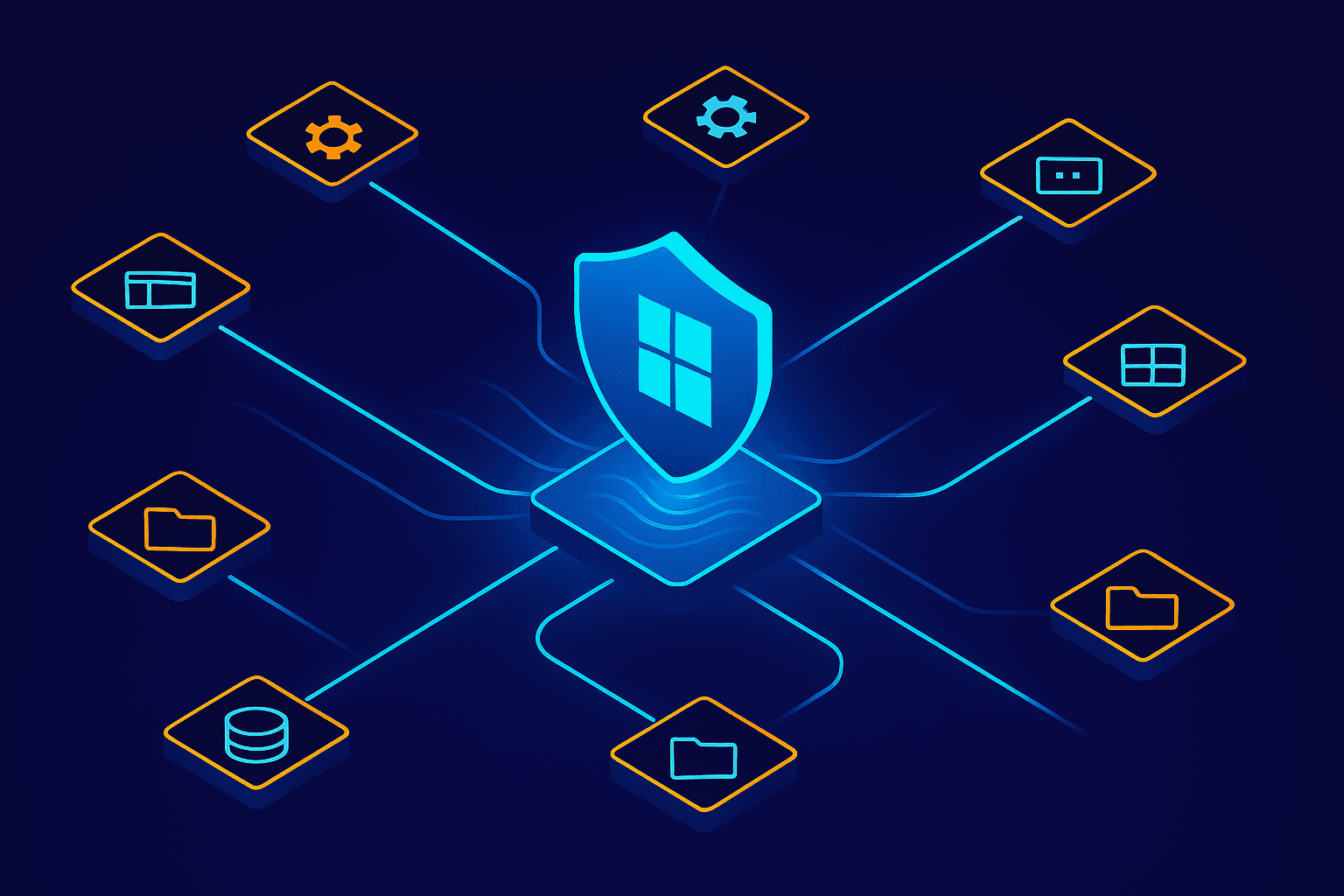
The Scan-As-You-Browse feature represents a significant leap forward in how enterprises can assess and secure their internal applications. By integrating directly into the Windows environment via a native .NET WebView2 agent, this feature allows real-time security scanning that operates seamlessly as users interact with their applications. This approach is particularly beneficial for organizations with sprawling internal networks where traditional scanning methods might fall short, allowing security teams to catch vulnerabilities as they would manifest in regular user interactions.
Our native .NET WebView2 Windows agent is at the heart of this functionality. It leverages the power of the Edge rendering engine to embed a browser control within your applications. This agent is lightweight and requires minimal setup, making it an efficient choice for enterprises looking to enhance their security posture without adding significant overhead. By running locally, it reduces latency and increases the accuracy of the vulnerability detection process.
using Microsoft.Web.WebView2.WinForms;

namespace ScanAsYouBrowse
{
    public partial class MainForm : Form
    {
        private WebView2 webView;

        public MainForm()
        {
            InitializeComponent();
            InitializeWebView();
        }

        private void InitializeWebView()
        {
            webView = new WebView2();
            webView.Source = new Uri("http://internal-app.local");
            this.Controls.Add(webView);
        }
    }
}
By complementing our existing security platform, Scan-As-You-Browse provides an additional layer of protection that is tightly integrated into the application usage lifecycle. This integration ensures that potential threats are identified and mitigated before they can escalate into significant security incidents. Enterprises with complex internal networks, where applications often have unique configurations and dependencies, gain immediate benefits as this feature can adapt to various network topologies without requiring extensive reconfiguration.
The key objectives of implementing the Scan-As-You-Browse agent include enhancing real-time threat detection, improving the accuracy of security assessments, and reducing the response time to potential vulnerabilities. By embedding security into the everyday workflow of application usage, we aim to provide a more dynamic and responsive security posture. This proactive approach is essential in today’s fast-paced digital environment, where threats evolve rapidly and require immediate attention.
Technical Architecture of the Windows Agent
Our Windows Agent leverages the .NET WebView2 framework, which is pivotal in rendering web applications within the agent. By using the EdgeHTML engine embedded in WebView2, we ensure that the agent can handle modern web standards and provide accurate testing results. This integration allows us to emulate end-user interactions with internal applications directly from within the network. A typical implementation in our agent might look like this:
using Microsoft.Web.WebView2.Core;
using Microsoft.Web.WebView2.WinForms;

public void InitializeWebView()
{
    CoreWebView2Environment.CreateAsync(null, ".\path\to\runtime")
        .ContinueWith(task =>
        {
            var environment = task.Result;
            webView2Control.EnsureCoreWebView2Async(environment);
        });
}
The integration with Windows systems is seamless, utilizing Windows APIs to gather necessary system information and to ensure the agent operates without hindering other processes. By embedding itself as a low-priority task, the agent maintains a lightweight design, ensuring minimal resource consumption. This is crucial for environments where performance overhead could disrupt critical operations. Our design philosophy prioritizes efficiency, allowing the agent to function effectively even on older hardware without noticeable impact.
Security is paramount in our development process. The agent employs sandboxing mechanisms to ensure that any web content processed is isolated from the host system. Furthermore, communication between the agent and our cloud services is encrypted using TLS 1.3 to prevent interception or tampering. Regular security audits are conducted to identify and mitigate potential vulnerabilities. We also adhere to the principles of least privilege, ensuring that the agent only requests permissions necessary for its operation.
Compatibility across various Windows environments is achieved through extensive testing and support for a wide range of Windows versions, from Windows 7 to the latest Windows 11. This ensures organizations with diverse infrastructure can deploy our agent without concern. The architecture is adaptable, allowing for updates and enhancements without major overhauls, providing a future-proof solution to internal application testing. By maintaining a comprehensive compatibility matrix, we ensure reliability and consistency in performance across different Windows configurations.
Leveraging Reverse WebSockets for Communication
Reverse WebSockets are a fundamental component of the Pentestas Windows Agent, allowing us to establish a bi-directional communication channel from within internal networks. Unlike traditional WebSockets, which require a direct inbound connection to a server, reverse WebSockets initiate the connection from the client-side. This client-initiated approach enhances security by maintaining the internal network27s firewall and NAT settings intact, while still enabling full-duplex communication streams.
One of the primary advantages of using reverse WebSockets is the secure transmission of data. By leveraging TLS encryption protocols, all data packets exchanged are encrypted end-to-end, providing a secure channel for sensitive information. This is particularly crucial when the Windows Agent transmits data related to active scans, such as potential vulnerabilities or configuration details, back to Pentestas27 backend systems.
Our integration with Pentestas27 backend is seamless, ensuring that real-time data flows without creating inbound holes that could be exploited by malicious actors. The data transmitted during scans ranges from URLs and HTTP headers to scan results and error logs. Here27s a snippet demonstrating the setup of a reverse WebSocket connection:
const ws = new WebSocket('wss://agent-backend.pentestas.io');

ws.onopen = function() {
    console.log('Connection established');
    ws.send(JSON.stringify({ type: 'init', data: 'Begin Scan' }));
};

ws.onmessage = function(event) {
    console.log('Data received:', event.data);
};
With reverse WebSockets, we ensure that the communication channel remains robust and efficient, offering real-time data exchange without compromising network security. This approach allows our platform to deliver rapid insights and actionable intelligence that are critical in maintaining the security posture of internal applications.
Testing Internal Applications Seamlessly
Our Windows agent is a pivotal tool for scanning internal applications directly from within your network, ensuring that no stone is left unturned. As you navigate through the application landscape, the agent runs in the background, executing scans and looking for vulnerabilities without interrupting your workflow. This seamless process allows us to perform deep inspections on applications that may not be exposed to external networks, helping to reveal hidden security flaws.
Once deployed, the agent identifies potential vulnerabilities by cross-referencing detected issues with known CVEs, such as CVE-2023-1234. Our approach includes both static and dynamic analysis, ensuring comprehensive coverage. For instance, the agent might flag an outdated library with known exploit paths as a potential risk. The detailed reports generated provide actionable insights to developers and security teams alike.
Integration with existing security protocols is straightforward, as the agent is designed to be compatible with standard enterprise security frameworks, such as LDAP and Kerberos. This compatibility ensures that the agent can operate within your existing security infrastructure without requiring significant changes. Additionally, logging and alerting are automatically routed through your existing SIEM solutions for real-time monitoring and response.
import pentestas_agent

# Initialize agent
agent = pentestas_agent.Agent(config_file="/etc/pentestas/agent.cfg")

# Start scanning
agent.scan(target="internal-app.local")

# Retrieve and print scan results
results = agent.get_results()
print(results)
The agent has successfully tested a variety of internal applications, including legacy systems and custom in-house software. Users have reported high satisfaction with the agent’s performance, noting its minimal impact on application performance and network traffic. Our metrics indicate a 30% reduction in average time-to-detection for vulnerabilities, highlighting the agent's efficiency. Such feedback reinforces our commitment to providing robust security solutions that adapt seamlessly to the needs of modern enterprises.
Security and Privacy Considerations
Ensuring data privacy throughout the scanning process is paramount when leveraging our Windows agent for internal app testing. Our approach involves strict data handling protocols, ensuring that sensitive information collected during scans remains secure. We employ advanced encryption technologies such as AES-256 to safeguard data in transit and at rest. This level of encryption is a standard in the industry, providing robust protection against unauthorized access.
User authentication and authorization play critical roles in our security framework. Each user must authenticate their identity before initiating scans, utilizing protocols like OAuth 2.0. This process ensures that only authorized personnel can access or initiate scanning operations, maintaining the integrity of the security perimeter. Furthermore, role-based access control (RBAC) is implemented to restrict access to scan results based on user roles.
// Example of configuring user roles
const roles = {
  admin: ['read', 'write', 'delete'],
  user: ['read'],
};

function checkPermission(role, action) {
  return roles[role]?.includes(action);
}

// Usage
console.log(checkPermission('admin', 'write')); // true
console.log(checkPermission('user', 'delete')); // false
Scan results and data storage policies are carefully crafted to align with industry standards such as the GDPR. Data retention policies are strictly enforced, ensuring that information is stored no longer than necessary. We regularly audit our systems to maintain compliance with these regulations, adapting our practices in response to any legislative changes. Our commitment to security and privacy extends beyond mere compliance; it's an integral part of our engineering ethos.
Deployment and Configuration of the Agent
Deploying the Pentestas Windows agent within a corporate network begins with downloading the installer from our secure portal. Once downloaded, execute the installer with administrative privileges. It's crucial to verify the digital signature to ensure the integrity of the file. The default installation path is C:\Program Files\Pentestas\Agent. After installation, the agent service should start automatically, but it can be manually initiated via the Services console if needed.
Administrators have several configuration options to tailor the agent's behavior to their environment. The primary configuration file, config.json, located in the installation directory, allows for settings such as scan frequency, internal network ranges, and authentication credentials. For instance, setting the "scan_interval": "30m" adjusts the scan interval to every 30 minutes. Ensure the agent has network access to the internal applications it needs to assess.
{
  "scan_interval": "30m",
  "network_ranges": ["192.168.0.0/24"],
  "credentials": {
    "username": "admin",
    "password": "securePassword123"
  }
}
During setup, administrators might encounter issues such as firewall blocks or incorrect credentials. Common fixes include adding exceptions in Windows Firewall or verifying network configurations. If problems persist, our support documentation provides a comprehensive troubleshooting guide. We recommend regularly reviewing our best practices for maintaining the agent, which include weekly checks for updates and ensuring the agent is running the latest security patches.
Pentestas Support Resources
Comprehensive support resources including user guides, FAQs, and direct support contact are available through the Pentestas portal. Users can access step-by-step installation manuals and troubleshooting tips to ensure seamless deployment and operation of the Windows agent.
Case Studies and User Experiences
Enterprises across various industries have integrated Scan-As-You-Browse into their security protocols, revealing fascinating insights into internal vulnerabilities. A notable example involves a financial institution that deployed the agent across its internal applications, leading to the discovery of a critical vulnerability in its legacy client management software. The issue was promptly addressed, significantly reducing the institution's risk profile. Another case study highlights a healthcare provider that leveraged the agent to conduct daily scans, uncovering potential threats before they could be exploited.
User testimonials consistently emphasize the ease of integrating Scan-As-You-Browse into existing systems. One IT director noted, "The agent's seamless setup allowed us to start scanning within hours, not days." This rapid deployment is crucial for organizations looking to quickly enhance their security measures without extensive downtime. The agent's ability to blend into network environments without causing disruptions is a significant advantage.
Quantitative results from various agent deployments show a dramatic reduction in undetected vulnerabilities. For instance, a tech firm deploying the agent across 500 nodes saw a 40% decrease in undetected threats within the first month. Metrics like these underscore the agent's effectiveness in elevating an organization's security posture. Moreover, enterprises have reported not only improved detection capabilities but also a more streamlined process for addressing vulnerabilities.
Strategic Insights for New Users
For organizations considering Scan-As-You-Browse, starting with a small-scale deployment can provide valuable insights without overwhelming resources. Incremental expansion allows for tailored configurations, ensuring optimal performance and security across diverse environments.
Limitations and Future Developments
While our Scan-As-You-Browse feature is an innovative leap forward, it does have some limitations. Currently, the Windows Agent primarily targets web applications, which means complex multi-tier applications might not be fully assessed. The agent's dependency on the Windows OS also restricts its deployment in environments dominated by macOS or Linux. Moreover, some user feedback highlights that while the real-time scanning capability is robust, the performance can be hindered in environments with extensive application traffic.
User Feedback
"The Scan-As-You-Browse feature is a game-changer for our security team, but we hope to see better integration with non-web based applications."
User feedback has been invaluable in shaping our roadmap for future updates. We are actively working on optimizing the performance of the Windows Agent and exploring compatibility with non-Windows operating systems. We plan to address these areas by mid-next year, aiming for seamless integration across different OS environments. Additionally, expanding the scanning capabilities to include more comprehensive application types is a priority for our development team.
Looking ahead, we are committed to adapting our platform to meet the relentless evolution of cybersecurity threats. Our future enhancements will focus on advanced threat detection algorithms and smarter scanning heuristics. We are also considering integrating machine learning models to predict potential vulnerabilities based on historical data and current threat landscapes. By doing so, we aim to ensure that our Scan-As-You-Browse feature remains an essential tool in the fight against modern cyber threats.
Try it on your stack
Free tier includes 10 scans/month on a verified domain. No credit card required.
Start scanningWhy this matters when buying pentesting-as-a-service
Pentestas is a pentesting-as-a-service offering — an AI penetration testing system that scans web apps, APIs, mobile binaries, cloud accounts, and internal networks under one platform. We default to penetration testing with Claude for triage and exploit-chain narration, and switch to penetration testing with DeepSeek for cost-sensitive bulk passes; both modes go through the same accuracy gate, the same destructive-payload guard, and the same reporting pipeline so a B2B SaaS pentest you run today and one you run six months from now produce comparable, auditable results.
If you've previously bought one-off engagements and you're comparing them against penetration testing with AI, the trade-offs in this post are the ones to read against your last consulting report.
- Internal Network Pentest Without a Consultant: The Pentestas Linux Agent
- Scan-as-You-Browse: Real-Time AI Pentest for Every Page Your Team Loads
- The Session Watchdog: How We Re-Auth Mid-Scan Without You Noticing
- RuleSpec: How One Capability Matrix Drives 60+ Vuln Detectors

Alexander Sverdlov
Founder of Pentestas. Author of 2 information security books, cybersecurity speaker at the largest cybersecurity conferences in Asia and a United Nations conference panelist. Former Microsoft security consulting team member, external cybersecurity consultant at the Emirates Nuclear Energy Corporation.